调试版源码
![[该内容已加密,请点击标题输入密码访问]](/ez/jiami.png)
牛魔王V20260213A源码备份
使用未来函数写的买卖点调试代码
//-------------------调试信号开始-------------------
N1:=10;Z:=ZIG(3,N1);	//用到了未来函数,作为参考线比对其他指标准确性。
低买:=BACKSET(Z>REF(Z,1) AND REF(Z,1)<REF(Z,2),2);VERTLINE(低买,2),COLORRED;
高卖:=BACKSET(Z<REF(Z,1) AND REF(Z,1)>REF(Z,2),2);VERTLINE(高卖,2),colorgreen;
//-------------------调试信号结束-------------------
未来函数列表
未来函数列表:ZIG - 之字转向
PEAK - 前M个ZIG转向波峰值
PEAKBARS - 前M个ZIG转向波峰到当前距离
TROUGH - 前M个ZIG转向波谷值
TROUGHBARS - 前M个ZIG转向波谷到当前距离
FLATZIG - 归一化之字转向
FLATZIGA - 归一化之字转向
PEAKA - 前M个ZIG转向波峰值
PEAKBARSA - 前M个ZIG转向波峰到当前距离
TROUGHA - 前M个ZIG转向波谷值
ZIGA - 之字转向
FFT - 傅立叶变换函数
BACKSET - 将当前位置到若干周期前的数据设为1
WINNER - 获利盘比例
LWINNER - 近期获利盘比例
PWINNER - 远期获利盘比例
COST - 成本分布情况
CAPITAL - 当前流通股本
DYNAINFO - 即时行情数据
FINANCE - 财务函数
XMA - 返回偏移移动平均,
#MONTH - 跨周期引用
#WEEK - 跨周期引用
#YEAR - 跨周期引用
DHIGH - 返回该不定周期最高价
DOPEN - 返回该不定周期开盘价
DLOW - 返回该不定周期最低价
DCLOSE - 返回该不定周期收盘价
DVOL - 返回该不定周期成交量价
BARSNEXT - 下一次条件成立到当前的周期数
REFX - 引用若干周期后的数据(平滑处理),
REFXV - 引用若干周期后的数据(未作平滑处理)
DRAWLINE - 绘制直线段用到日后数据
持仓股票价格监控系统V28
#SingleInstance Force
#Persistent
#NoEnv
SetWorkingDir %A_ScriptDir%

;---------------------------------------
;	持仓股票价格监控系统
;	http://80c.cc/wwwylg
;	date:2026/1/9
;---------------------------------------

; 全局变量
股票列表 := []
更新时间 := 60000	; 60秒更新一次
每股市值基数 := 100	; 假设每只股票持有100股
最大显示行数 := 20	; 每页显示20行
当前页数 := 1		; 当前页码

; 初始化GUI
创建表格界面()

; 加载保存的股票代码
Gosub, 加载股票列表

; 设置定时器
SetTimer, 模拟点击按钮, %更新时间%
return

模拟点击按钮:
    ControlClick, Button5, 持仓股票价格监控系统
return

创建表格界面() {
    global

    ; 创建主窗口
    Gui, Main:New, +Resize +MaximizeBox
    Gui, Main:Font, s12, Microsoft YaHei
    Gui, Main:Color, FFFFFF

    ; 操作按钮区域
    按钮Y := 10
    按钮W := 80
    按钮H := 28
    按钮间距 := 15

    Gui, Main:Font, s10
    当前X := 10

    Gui, Main:Add, Button, x%当前X% y%按钮Y% w%按钮W% h%按钮H% g添加股票, 添加股票
    当前X += 按钮W + 按钮间距

    Gui, Main:Add, Button, x%当前X% y%按钮Y% w%按钮W% h%按钮H% g删除股票, 删除股票
    当前X += 按钮W + 按钮间距

    Gui, Main:Add, Button, x%当前X% y%按钮Y% w%按钮W% h%按钮H% g修改基数, 修改基数
    当前X += 按钮W + 按钮间距

    Gui, Main:Add, Button, x%当前X% y%按钮Y% w%按钮W% h%按钮H% g导出数据, 导出CSV
    当前X += 按钮W + 按钮间距

    Gui, Main:Add, Button, x%当前X% y%按钮Y% w%按钮W% h%按钮H% g手动更新, 手动更新
    当前X += 按钮W + 按钮间距

    ; 翻页按钮
    当前X += 30
    翻页按钮W := 70
    翻页按钮间距 := 15

    Gui, Main:Add, Button, x%当前X% y%按钮Y% w%翻页按钮W% h%按钮H% g上一页, 上一页
    当前X += 翻页按钮W + 翻页按钮间距

    Gui, Main:Add, Button, x%当前X% y%按钮Y% w%翻页按钮W% h%按钮H% g下一页, 下一页

    ; 分隔线
    Gui, Main:Add, Text, x10 y42 w710 0x10

    ; 股票列表标题行
    标题Y := 55

    ; 列宽定义
    local 序号宽度值 := 50
    local 名称宽度值 := 180
    local 代码宽度值 := 100
    local 价格宽度值 := 100
    local 持有股数宽度值 := 80  ; 新增:持有股数列宽度
    local 市值宽度值 := 100
    local 涨跌幅宽度值 := 100

    ; 计算每列的起始x坐标
    local 序号起始X值 := 15
    local 名称起始X值 := 序号起始X值 + 序号宽度值
    local 代码起始X值 := 名称起始X值 + 名称宽度值
    local 价格起始X值 := 代码起始X值 + 代码宽度值
    local 持有股数起始X值 := 价格起始X值 + 价格宽度值  ; 新增:持有股数列起始位置
    local 市值起始X值 := 持有股数起始X值 + 持有股数宽度值  ; 调整:市值列起始位置
    local 涨跌幅起始X值 := 市值起始X值 + 市值宽度值  ; 调整:涨跌幅列起始位置

    Gui, Main:Font, s12
    Gui, Main:Add, Text, x%序号起始X值% y%标题Y% w%序号宽度值% Center c333333, 序号
    Gui, Main:Add, Text, x%名称起始X值% y%标题Y% w%名称宽度值% Center c333333, 股票名称
    Gui, Main:Add, Text, x%代码起始X值% y%标题Y% w%代码宽度值% Center c333333, 股票代码
    Gui, Main:Add, Text, x%价格起始X值% y%标题Y% w%价格宽度值% Center c333333, 当前价格
    Gui, Main:Add, Text, x%持有股数起始X值% y%标题Y% w%持有股数宽度值% Center c333333, 持有股数  ; 新增:持有股数列标题
    Gui, Main:Add, Text, x%市值起始X值% y%标题Y% w%市值宽度值% Center c333333, 市值(元)
    Gui, Main:Add, Text, x%涨跌幅起始X值% y%标题Y% w%涨跌幅宽度值% Center c333333, 涨跌幅

    ; 股票数据行区域
    local 行高值 := 25
    local 起始Y值 := 标题Y + 25

    ; 创建20行数据区域
    Loop, %最大显示行数% {
        行号 := A_Index
        y位置值 := 起始Y值 + (行号-1) * 行高值

        Gui, Main:Add, Text, x%序号起始X值% y%y位置值% w%序号宽度值% Center v序号%行号%, --
        Gui, Main:Add, Text, x%名称起始X值% y%y位置值% w%名称宽度值% Center v名称%行号%, --
        Gui, Main:Add, Text, x%代码起始X值% y%y位置值% w%代码宽度值% Center v代码%行号%, --
        Gui, Main:Add, Text, x%价格起始X值% y%y位置值% w%价格宽度值% Center v价格%行号%, 0.00
        Gui, Main:Add, Text, x%持有股数起始X值% y%y位置值% w%持有股数宽度值% Center v股数%行号%, 100  ; 新增:持有股数列
        Gui, Main:Add, Text, x%市值起始X值% y%y位置值% w%市值宽度值% Center v市值%行号%, 0.00
        Gui, Main:Add, Text, x%涨跌幅起始X值% y%y位置值% w%涨跌幅宽度值% Center v涨跌%行号%, 0.00`%
    }

    ; 显示信息
    local 表格高度值 := 行高值 * 最大显示行数
    local 信息Y值 := 起始Y值 + 表格高度值 + 10

    ; 状态栏
    Gui, Main:Add, StatusBar

    ; 初始状态栏文本
    更新状态栏()

    ; 调整窗口宽度,以适应新增列
    local 窗口宽度值 := 涨跌幅起始X值 + 涨跌幅宽度值 + 20
    local 窗口高度值 := 信息Y值 + 30
    Gui, Main:Show, w%窗口宽度值% h%窗口高度值%, 持仓股票价格监控系统(洛阳牛魔王)
}

; 翻页功能
上一页:
    global 当前页数, 股票列表, 最大显示行数
    总页数 := Ceil(股票列表.Length() / 最大显示行数)
    if (当前页数 > 1) {
        当前页数 -= 1
    } else {
        当前页数 := 总页数
    }
    Gosub, 更新显示行
return

下一页:
    global 当前页数, 股票列表, 最大显示行数
    总页数 := Ceil(股票列表.Length() / 最大显示行数)
    if (当前页数 < 总页数) {
        当前页数 += 1
    } else {
        当前页数 := 1
    }
    Gosub, 更新显示行
return

更新显示行:
    global 股票列表, 当前页数, 最大显示行数, 每股市值基数

    总股票数 := 股票列表.Length()
    总页数 := Ceil(总股票数 / 最大显示行数)

    if (总页数 = 0) {
        当前页数 := 1
        总页数 := 1
    } else if (当前页数 > 总页数) {
        当前页数 := 总页数
    } else if (当前页数 < 1) {
        当前页数 := 1
    }

    开始位置 := (当前页数 - 1) * 最大显示行数 + 1

    ; 更新所有可见行的显示
    Loop, %最大显示行数% {
        显示行号 := A_Index
        实际索引 := 开始位置 + 显示行号 - 1

        if (实际索引 <= 总股票数) {
            股票 := 股票列表[实际索引]

            if (股票.名称 && 股票.价格 > 0) {
                价格显示 := Round(股票.价格, 2)
                市值显示 := Round(股票.价格 * 每股市值基数, 2)

                涨跌幅 := 0
                if (股票.昨收价 > 0 && 股票.昨收价 != "") {
                    涨跌幅 := ((股票.价格 - 股票.昨收价) / 股票.昨收价) * 100
                }

                涨跌文本 := Round(涨跌幅, 2) . "`%"

                GuiControl, Main:, 序号%显示行号%, %实际索引%
                GuiControl, Main:, 名称%显示行号%, % 股票.名称
                GuiControl, Main:, 代码%显示行号%, % 股票.代码
                GuiControl, Main:, 价格%显示行号%, % 价格显示
                GuiControl, Main:, 股数%显示行号%, %每股市值基数%  ; 新增:更新持有股数
                GuiControl, Main:, 市值%显示行号%, % 市值显示
                GuiControl, Main:, 涨跌%显示行号%, % 涨跌文本

                ; 设置颜色
                if (股票.昨收价 > 0) {
                    if (股票.价格 > 股票.昨收价) {
                        GuiControl, Main:+cRed, 价格%显示行号%
                        GuiControl, Main:+cRed, 涨跌%显示行号%
                    } else if (股票.价格 < 股票.昨收价) {
                        GuiControl, Main:+cGreen, 价格%显示行号%
                        GuiControl, Main:+cGreen, 涨跌%显示行号%
                    } else {
                        GuiControl, Main:+cBlack, 价格%显示行号%
                        GuiControl, Main:+cBlack, 涨跌%显示行号%
                    }
                }
            } else {
                GuiControl, Main:, 序号%显示行号%, %实际索引%
                GuiControl, Main:, 名称%显示行号%, 加载中...
                GuiControl, Main:, 代码%显示行号%, % 股票.代码
                GuiControl, Main:, 价格%显示行号%, 0.00
                GuiControl, Main:, 股数%显示行号%, %每股市值基数%  ; 新增:更新持有股数
                GuiControl, Main:, 市值%显示行号%, 0.00
                GuiControl, Main:, 涨跌%显示行号%, 0.00`%

                GuiControl, Main:+cBlack, 价格%显示行号%
                GuiControl, Main:+cBlack, 涨跌%显示行号%
            }

            ; 显示这一行
            GuiControl, Main:Show, 序号%显示行号%
            GuiControl, Main:Show, 名称%显示行号%
            GuiControl, Main:Show, 代码%显示行号%
            GuiControl, Main:Show, 价格%显示行号%
            GuiControl, Main:Show, 股数%显示行号%  ; 新增:显示持有股数列
            GuiControl, Main:Show, 市值%显示行号%
            GuiControl, Main:Show, 涨跌%显示行号%
        } else {
            ; 隐藏多余的行
            GuiControl, Main:Hide, 序号%显示行号%
            GuiControl, Main:Hide, 名称%显示行号%
            GuiControl, Main:Hide, 代码%显示行号%
            GuiControl, Main:Hide, 价格%显示行号%
            GuiControl, Main:Hide, 股数%显示行号%  ; 新增:隐藏持有股数列
            GuiControl, Main:Hide, 市值%显示行号%
            GuiControl, Main:Hide, 涨跌%显示行号%
        }
    }

    ; 更新状态栏统计信息
    更新状态栏()
return

加载股票列表:
    global 股票列表

    if FileExist("1.txt") {
        FileRead, 内容, 1.txt
        if (内容) {
            行数组 := StrSplit(内容, "`n", "`r")
            Loop, % 行数组.Length() {
                代码 := Trim(行数组[A_Index])
                if (代码 != "" && SubStr(代码, 1, 1) != "#") {
                    股票信息 := Object()
                    股票信息.代码 := 标准化股票代码(代码)
                    股票信息.名称 := ""
                    股票信息.价格 := 0
                    股票信息.昨收价 := 0
                    股票信息.市值 := 0
                    股票列表.Push(股票信息)
                }
            }
        }
    }

    Gosub, 更新所有股票数据
return

更新所有股票数据:
    global 股票列表, 每股市值基数

    ; 在状态栏显示更新状态
    SB_SetText("正在更新股票数据...", 1)

    For 索引, 股票 in 股票列表 {
        股票代码 := 股票.代码
        股票信息 := 获取股票实时信息(股票代码)

        if (股票信息 && 股票信息.名称 && 股票信息.价格 > 0) {
            股票.名称 := 股票信息.名称
            股票.价格 := 股票信息.价格
            股票.昨收价 := 股票信息.昨收价
            股票.市值 := 股票.价格 * 每股市值基数
        }
    }

    Gosub, 更新显示行

    ; 更新状态栏
    更新状态栏()
return

获取股票实时信息(股票代码) {
    股票信息 := Object()

    腾讯代码 := 转换到腾讯格式(股票代码)
    if (腾讯代码 = "") {
        return false
    }

    url := "http://qt.gtimg.cn/q=" . 腾讯代码

    try {
        whr := ComObjCreate("WinHttp.WinHttpRequest.5.1")
        whr.Open("GET", url, false)
        whr.SetRequestHeader("User-Agent", "Mozilla/5.0")
        whr.SetRequestHeader("Accept", "*/*")
        whr.Send()

        if (whr.Status = 200) {
            response := whr.ResponseText
            response := Trim(response)

            if RegExMatch(response, "v_[^=]+=""([^""]+)""", 数据匹配) {
                数据内容 := 数据匹配1
                字段数组 := StrSplit(数据内容, "~")

                if (字段数组.Length() >= 5) {
                    股票信息.名称 := 字段数组[2]
                    股票信息.价格 := 字段数组[4]
                    股票信息.昨收价 := 字段数组[5]

                    if (股票信息.名称 && 股票信息.名称 != "" && 股票信息.价格 > 0) {
                        return 股票信息
                    }
                }
            }
        }
    } catch {
        股票信息 := 备用接口获取(股票代码)
        if (股票信息) {
            return 股票信息
        }
    }

    return false
}

备用接口获取(股票代码) {
    股票信息 := Object()

    url := "https://hq.sinajs.cn/list=" . 股票代码

    try {
        whr := ComObjCreate("WinHttp.WinHttpRequest.5.1")
        whr.Open("GET", url, false)
        whr.SetRequestHeader("User-Agent", "Mozilla/5.0")
        whr.SetRequestHeader("Referer", "https://finance.sina.com.cn")
        whr.Send()

        if (whr.Status = 200) {
            response := whr.ResponseText

            if RegExMatch(response, "hq_str_[^=]+=""([^""]+)""", 数据匹配) {
                数据内容 := 数据匹配1
                字段数组 := StrSplit(数据内容, ",")

                if (字段数组.Length() > 3) {
                    股票信息.名称 := 字段数组[1]
                    股票信息.昨收价 := 字段数组[3]
                    股票信息.价格 := 字段数组[4]

                    if (股票信息.名称 && 股票信息.价格 > 0) {
                        return 股票信息
                    }
                }
            }
        }
    } catch {
    }

    return false
}

转换到腾讯格式(股票代码) {
    代码 := Trim(股票代码)

    if (SubStr(代码, 1, 2) = "sh") {
        return "sh" . SubStr(代码, 3)
    } else if (SubStr(代码, 1, 2) = "sz") {
        return "sz" . SubStr(代码, 3)
    }

    if (RegExMatch(代码, "^[0-9]{6}$")) {
        首两位 := SubStr(代码, 1, 2)

        ; 沪市基金
        if (首两位 = "50" || 首两位 = "51" || 首两位 = "52"
            || 首两位 = "56" || 首两位 = "58" || 首两位 = "59") {
            return "sh" . 代码
        }
        ; 深市基金
        else if (首两位 = "15" || 首两位 = "16" || 首两位 = "18") {
            return "sz" . 代码
        }

        ; 普通股票代码
        if (首两位 = "60" || 首两位 = "68" || 首两位 = "90") {
            return "sh" . 代码
        } else if (首两位 = "00" || 首两位 = "30" || 首两位 = "20" || 首两位 = "39") {
            return "sz" . 代码
        } else {
            return "sz" . 代码
        }
    }

    return 代码
}

标准化股票代码(代码) {
    代码 := Trim(代码)

    if (SubStr(代码, 1, 2) = "sh" || SubStr(代码, 1, 2) = "sz") {
        return 代码
    }

    if (RegExMatch(代码, "^[0-9]{6}$")) {
        首两位 := SubStr(代码, 1, 2)

        ; 沪市基金
        if (首两位 = "50" || 首两位 = "51" || 首两位 = "52"
            || 首两位 = "56" || 首两位 = "58" || 首两位 = "59") {
            return "sh" . 代码
        }
        ; 深市基金
        else if (首两位 = "15" || 首两位 = "16" || 首两位 = "18") {
            return "sz" . 代码
        }

        ; 普通股票代码
        if (首两位 = "60" || 首两位 = "68" || 首两位 = "90") {
            return "sh" . 代码
        } else if (首两位 = "00" || 首两位 = "30" || 首两位 = "20" || 首两位 = "39") {
            return "sz" . 代码
        } else {
            return "sz" . 代码
        }
    } else if (RegExMatch(代码, "i)^(sh|sz)[0-9]+$")) {
        return 代码
    }

    return 代码
}

添加股票:
    InputBox, 新代码, 添加股票/基金, 请输入股票/基金代码:`n`n示例:`n? A股:600519 或 sz000001 或 002202`n? 基金:561800 或 sh561800 (稀有金属ETF), , 450, 250

    if (新代码 != "" && !ErrorLevel) {
        新代码 := Trim(新代码)
        标准代码 := 标准化股票代码(新代码)

        if (标准代码 = "") {
            MsgBox, 48, 错误, 代码格式不正确!
            return
        }

        存在 := false
        For _, 股票 in 股票列表 {
            if (股票.代码 = 标准代码) {
                存在 := true
                break
            }
        }

        if (!存在) {
            股票信息 := 获取股票实时信息(标准代码)
            if (股票信息 && 股票信息.名称 && 股票信息.价格 > 0) {
                新股票 := Object()
                新股票.代码 := 标准代码
                新股票.名称 := 股票信息.名称
                新股票.价格 := 股票信息.价格
                新股票.昨收价 := 股票信息.昨收价
                新股票.市值 := 0

                股票列表.Push(新股票)
                保存股票列表()
                Gosub, 更新所有股票数据

                消息 := "? 添加成功!`n`n"
                消息 .= "代码:" . 标准代码 . "`n"
                消息 .= "名称:" . 股票信息.名称 . "`n"
                消息 .= "当前价格:" . 股票信息.价格 . "元"
                MsgBox, 64, 添加成功, %消息%
            } else {
                MsgBox, 48, 错误, 无法获取该代码的信息!
            }
        } else {
            MsgBox, 48, 提示, 该代码已存在!
        }
    }
return

删除股票:
    if (股票列表.Length() = 0) {
        MsgBox, 64, 提示, 列表为空!
        return
    }

    选择列表 := ""
    For 索引, 股票 in 股票列表 {
        选择列表 .= 索引 . ". " . 股票.名称 . " (" . 股票.代码 . ")`n"
    }

    InputBox, 选择序号, 删除项目, 请选择要删除的序号:`n`n%选择列表%, , 500, 350

    if (选择序号 != "" && !ErrorLevel) {
        if (选择序号 >= 1 && 选择序号 <= 股票列表.Length()) {
            删除代码 := 股票列表[选择序号].代码
            删除名称 := 股票列表[选择序号].名称

            MsgBox, 52, 确认删除, 确定要删除这个项目吗?`n`n名称:%删除名称%`n代码:%删除代码%
            IfMsgBox Yes
            {
                股票列表.RemoveAt(选择序号)
                保存股票列表()
                Gosub, 更新所有股票数据

                MsgBox, 64, 删除成功, 已删除项目:`n`n名称:%删除名称%`n代码:%删除代码%
            }
        } else {
            MsgBox, 48, 错误, 序号无效!
        }
    }
return

修改基数:
    InputBox, 新基数, 修改每股市值基数, 当前基数:%每股市值基数%`n请输入新的每股市值基数:, , 300, 150

    if (新基数 != "" && !ErrorLevel) {
        if (新基数 > 0) {
            每股市值基数 := 新基数
            更新状态栏()
            Gosub, 更新所有股票数据
            ;;;MsgBox, 64, 修改成功, 市值基数已更新!`n`n新基数:%新基数%
        } else {
            MsgBox, 48, 错误, 请输入有效的正数!
        }
    }
return

导出数据:
    if (股票列表.Length() = 0) {
        MsgBox, 64, 提示, 没有数据可以导出!
        return
    }

    文件名 := "股票数据_" . A_Year . A_Mon . A_Day . "_" . A_Hour . A_Min . ".csv"

    csv内容 := "序号,名称,代码,当前价格,持有股数,市值,更新时间`n"  ; 修改:添加持有股数列

    总市值 := 0
    For 索引, 股票 in 股票列表 {
        市值 := 股票.价格 * 每股市值基数
        总市值 += 市值

        csv内容 .= 索引 . ","
        csv内容 .= 股票.名称 . ","
        csv内容 .= 股票.代码 . ","
        csv内容 .= Round(股票.价格, 2) . ","
        csv内容 .= 每股市值基数 . ","  ; 新增:导出持有股数
        csv内容 .= Round(市值, 2) . ","
        csv内容 .= A_Now . "`n"
    }

    csv内容 .= "总计,,,,," . Round(总市值, 2) . ","  ; 调整:对应列数
    csv内容 .= 股票列表.Length() . "只股票"

    FileDelete, %文件名%
    FileAppend, %csv内容%, %文件名%

    消息 := "? 数据导出成功!`n`n"
    消息 .= "文件名:" . 文件名 . "`n"
    消息 .= "包含股票:" . 股票列表.Length() . "只`n"
    消息 .= "总市值:" . Round(总市值, 2) . "元"
    MsgBox, 64, 导出成功, %消息%
return

手动更新:
    Gosub, 更新所有股票数据
    ;;;;MsgBox, 64, 手动更新, ? 股票数据已手动更新!
return

保存股票列表() {
    global 股票列表

    文件内容 := ""
    For _, 股票 in 股票列表 {
        文件内容 .= 股票.代码 . "`n"
    }

    FileDelete, 1.txt
    FileAppend, %文件内容%, 1.txt
}

更新状态栏() {
    global 股票列表, 每股市值基数

    总股票数显示 := 0
    总市值显示 := 0

    For 索引, 股票 in 股票列表 {
        if (股票.价格 > 0) {
            总股票数显示++
            总市值显示 += 股票.价格 * 每股市值基数
        }
    }

    FormatTime, 当前日期时间, , yyyy-MM-dd HH:mm:ss

    状态栏文本 := "股票数:" . 总股票数显示 . " | 总市值:" . Round(总市值显示, 2) . "元 | 更新时间:" . 当前日期时间
    SB_SetText(状态栏文本, 1)
}

MainGuiSize:
    if (A_EventInfo = 1) {
        return
    }

    ; 调整控件宽度以适应窗口大小变化
    SB_SetParts(A_GuiWidth)
return

MainGuiClose:
    ExitApp
return


#IfWinActive, 持仓股票价格监控系统
F5::Gosub, 模拟点击按钮
Left::Gosub, 上一页
Right::Gosub, 下一页
#IfWinActive
aardio操作注册表示例代码
import win.ui;
import process.popen;

var winform = win.form(text="启动项管理测试程序";right=400;bottom=300)
winform.add(
    buttonAdd={cls="button";text="添加";left=20;top=20;right=120;bottom=50};
    buttonDel={cls="button";text="删除";left=130;top=20;right=230;bottom=50};
)

var appName = "MyApp";

winform.buttonAdd.oncommand = function() {
    var prcs = process.popen("cmd", '/c reg add "HKCU\\Software\\Microsoft\\Windows\\CurrentVersion\\Run" /v "' + appName + '" /t REG_SZ /d "' + io._exepath + '" /f', 8);
    prcs.close();
}

winform.buttonDel.oncommand = function() {
    var prcs = process.popen("cmd", '/c reg delete "HKCU\\Software\\Microsoft\\Windows\\CurrentVersion\\Run" /v "' + appName + '" /f', 8);
    prcs.close();
}

winform.show();
win.loopMessage();
命令执行控制台,测试OK
import console;
import wsock.tcp.simpleHttpServer;

// 创建服务器
var httpServer = wsock.tcp.simpleHttpServer("0.0.0.0", 8055);

console.setTitle("命令执行服务器 V0.2");
console.log("服务器启动: http://localhost:8055");
console.log("URL直接执行示例: http://localhost:8055/notepad.exe");

/*
每次回复代码请更新版本号!!!
比较完美的版本v0.1
*/

// 请求处理器
httpServer.run(
    function(response, request) {
        // 获取路径
        var path = request.path;

        // 路由处理
        if (path == "/" or path == "/index" or path == "/main.aardio") {
            // 返回美化后的主页
            response.headers["Content-Type"] = "text/html; charset=utf-8";

            // 构建HTML内容
            var html = '<html>'
            html += '<!DOCTYPE html><html><head><meta charset="utf-8"><title>命令执行控制台</title>'
            html += '<style>'
            html += 'body{font-family:Arial,sans-serif;margin:0;padding:20px;background:#f5f5f5;}'
            html += '.container{max-width:800px;margin:0 auto;background:white;border-radius:0px;box-shadow:0 2px 10px rgba(0,0,0,0.1);overflow:hidden;}'
            html += '.header{background:linear-gradient(90deg,#4a6ee0,#6a4de0);color:white;padding:20px;}'
            html += '.header h1{margin:0;font-size:24px;}'
            html += '.main{padding:20px;}'
            html += '.input-area{display:flex;gap:10px;margin-bottom:15px;}'
            html += '#cmd{flex:1;padding:10px;border:1px solid #ddd;border-radius:0px;font-size:16px;}'
            html += '#runBtn{padding:10px 20px;background:#4a6ee0;color:white;border:none;border-radius:0px;cursor:pointer;font-size:16px;}'
            html += '#runBtn:hover{background:#3a5ed0;}'
            html += '.quick-buttons{margin:10px 0;}'
            html += '.qbtn{padding:5px 10px;margin-right:8px;margin-bottom:8px;background:#e8efff;color:#4a6ee0;border:none;border-radius:0px;cursor:pointer;}'
            html += '.output{background:#1e1e1e;color:#fff;padding:15px;border-radius:0px;margin-top:20px;font-family:Consolas,monospace;min-height:150px;overflow:auto;white-space:pre-wrap;}'
            html += '</style>'
            html += '</head><body>'
            html += '<div class="container">'
            html += '<div class="header"><h1>命令执行控制台</h1><div>端口: 8033</div></div>'
            html += '<div class="main">'
            html += '<div class="input-area">'
            html += '<input type="text" id="cmd" placeholder="输入命令,如: cmd.exe、notepad.exe、dir...">'
            html += '<button id="runBtn" onclick="runCmd()">执行</button>'
            html += '</div>'
            html += '<div class="quick-buttons">'
            html += '<button class="qbtn" onclick="runCmdWithCommand(\'cmd.exe\')">cmd.exe</button>'
            html += '<button class="qbtn" onclick="runCmdWithCommand(\'notepad.exe\')">notepad.exe</button>'
            html += '<button class="qbtn" onclick="runCmdWithCommand(\'calc.exe\')">calc.exe</button>'
            html += '<button class="qbtn" onclick="runCmdWithCommand(\'mspaint.exe\')">mspaint.exe</button>'
            html += '<button class="qbtn" onclick="runCmdWithCommand(\'ipconfig /all\')">ipconfig /all</button>'
            html += '</div>'
            html += '<div class="output" id="out">等待命令...</div>'
            html += '</div></div>'
            html += '<script>'
            html += 'function setCommand(cmd){document.getElementById("cmd").value=cmd;return false;}'
            html += 'async function runCmdWithCommand(cmd){'
            html += 'document.getElementById("cmd").value=cmd;'
            html += 'await runCmd();'
            html += '}'
            html += 'async function runCmd(){'
            html += 'var cmd=document.getElementById("cmd").value;'
            html += 'var out=document.getElementById("out");'
            html += 'if(!cmd){out.textContent="请输入命令";return;}'
            html += 'out.textContent="执行中...";'
            html += 'try{'
            html += 'var r=await fetch("/execute",{method:"POST",headers:{"Content-Type":"application/json"},body:JSON.stringify({command:cmd})});'
            html += 'var d=await r.json();'
            html += 'if(d.success){out.textContent=d.output||"(无输出)";}else{out.textContent="错误:"+d.output;}'
            html += '}catch(e){out.textContent="请求失败:"+e;}'
            html += '}'
            html += 'document.getElementById("cmd").addEventListener("keypress",function(e){if(e.key==="Enter"){runCmd();}});'
            html += '</script>'
            html += '</body></html>'

            response.write(html);
        }
        else if (path == "/execute") {
            // 处理命令执行(保持原始逻辑)
            response.headers["Content-Type"] = "application/json";

            if (request.method != "POST") {
                response.write({success=false; output="需要POST请求"});
                return;
            }

            // 导入需要的库
            import process.popen;
            import JSON;

            // 解析JSON
            var body = request.postJson();
            if (!body or !body.command) {
                response.write({success=false; output="需要命令参数"});
                return;
            }

            // 执行命令
            try {
                var cmd = body.command;

                // 判断是否是EXE程序(需要显示窗口)
                var cmdLower = string.lower(cmd);
                var isExeProgram = string.find(cmdLower, "%.exe$")
                    or cmd == "cmd"
                    or string.find(cmdLower, "^notepad")
                    or string.find(cmdLower, "^calc")
                    or string.find(cmdLower, "^mspaint");

                if (isExeProgram) {
                    // 对于EXE程序,使用 cmd /c start 来显示窗口
                    var fullCmd = 'cmd /c start "" ' + cmd;
                    var proc = process.popen(fullCmd);
                    if (!proc) {
                        response.write({success=false; output="无法执行命令"});
                        return;
                    }

                    var output = proc.readAll();
                    proc.close();

                    response.write({success=true; output="程序已启动(显示窗口中)"});
                } else {
                    // 对于非EXE命令,使用原版的隐藏窗口方式
                    var proc = process.popen(cmd, null, {flags = 0x08000000});
                    if (!proc) {
                        response.write({success=false; output="无法执行命令"});
                        return;
                    }

                    var output = proc.readAll();
                    proc.close();

                    // 限制输出长度
                    if (#output > 5000) {
                        output = string.left(output, 5000) + "\n... (输出过长)";
                    }

                    response.write({success=true; output=output});
                }
            } catch(e) {
                response.write({success=false; output="执行出错"});
            }
        }
        else if (path == "/status") {
            // 状态页面
            response.headers["Content-Type"] = "application/json";
            response.write({status="运行中", port=8033, time=time()});
        }
        else if (path == "/test") {
            // 测试页面
            response.headers["Content-Type"] = "text/html; charset=utf-8";
            response.write("<h1>测试</h1><p>服务器正常</p>");
        }
        else if (path == "/favicon.ico") {
            // 忽略favicon请求
            response.statusCode = 404;
            response.write("");
        }
        else {
            // 处理通过URL直接执行的命令
            // 去除开头的斜杠
            var cmd = string.right(path, #path - 1);
            if (!cmd or cmd == "") {
                response.statusCode = 404;
                response.write("404 - 未找到: " + path);
                return;
            }

            // 执行命令(复用原有执行逻辑)
            try {
                response.headers["Content-Type"] = "application/json";

                // 判断是否是EXE程序(需要显示窗口)
                var cmdLower = string.lower(cmd);
                var isExeProgram = string.find(cmdLower, "%.exe$")
                    or cmd == "cmd"
                    or string.find(cmdLower, "^notepad")
                    or string.find(cmdLower, "^calc")
                    or string.find(cmdLower, "^mspaint");

                if (isExeProgram) {
                    // 对于EXE程序,使用 cmd /c start 来显示窗口
                    var fullCmd = 'cmd /c start "" ' + cmd;
                    console.log("URL执行(显示窗口): " + fullCmd);

                    var proc = process.popen(fullCmd);
                    if (!proc) {
                        response.write({success=false; output="无法执行命令"});
                        return;
                    }

                    var output = proc.readAll();
                    proc.close();

                    response.write({success=true; output="程序已启动(显示窗口中)", command=cmd});
                } else {
                    // 对于非EXE命令,使用原版的隐藏窗口方式
                    console.log("URL执行(隐藏窗口): " + cmd);

                    var proc = process.popen(cmd, null, {flags = 0x08000000});
                    if (!proc) {
                        response.write({success=false; output="无法执行命令"});
                        return;
                    }

                    var output = proc.readAll();
                    proc.close();

                    // 限制输出长度
                    if (#output > 5000) {
                        output = string.left(output, 5000) + "\n... (输出过长)";
                    }

                    response.write({success=true; output=output, command=cmd});
                }
            } catch(e) {
                console.log("URL执行出错: ", e);
                response.headers["Content-Type"] = "application/json";
                response.write({success=false; output="执行出错: " + tostring(e), command=cmd});
            }
        }
    }
);

console.pause();
WPS Office 2019 ProPlus 11.8.2.8621 专业增强政府版
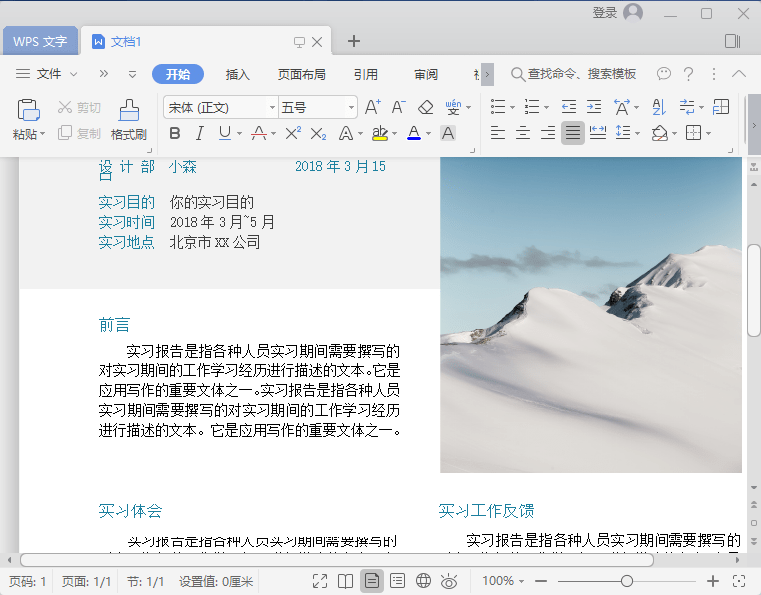
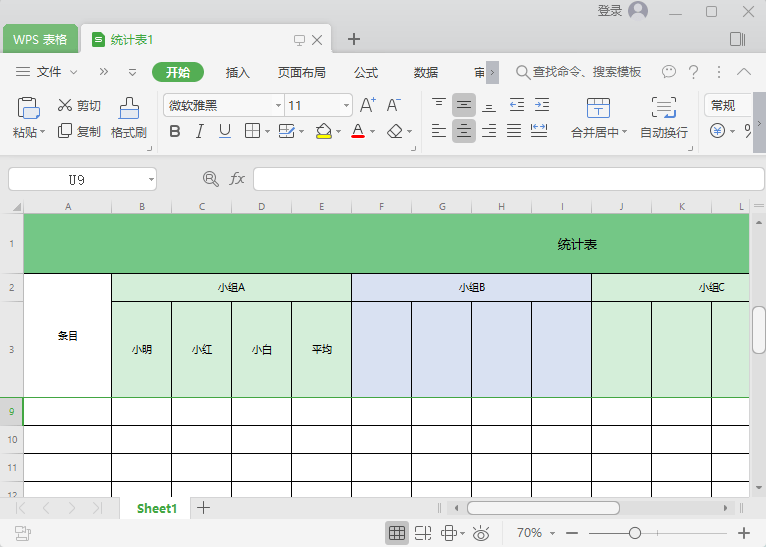
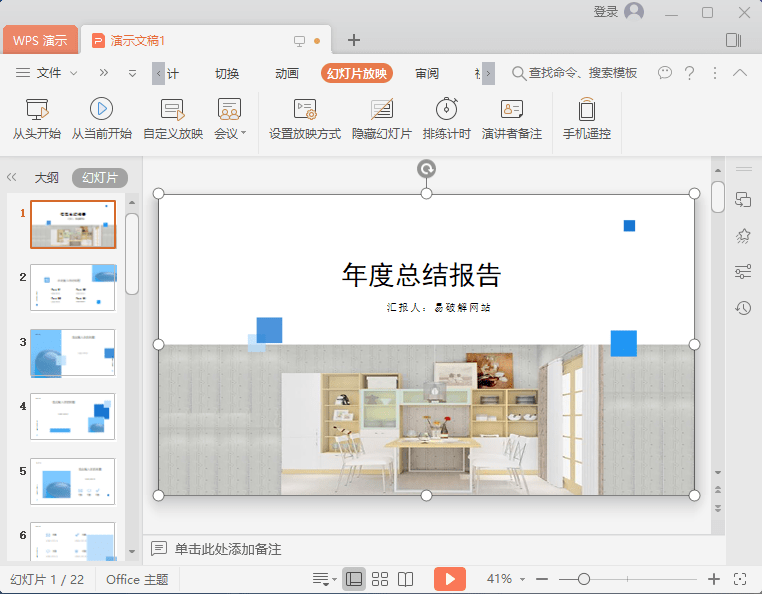
WPS Office 2019 ProPlus 是中国政府应用最广泛的办公软件之一,在国家新闻出版总署、外交部、工业与信息化部、科技部等70多家部委、办、局级中央政府单位中被广泛采购和应用,在国内所有省级政府办公软件的采购中,WPS Office占据总采购量近三分之二的市场份额,居国内、外办公软件厂商采购首位。WPS Office在企业中应用也极其广泛,如中国工商银行、中国石油天然气集团公司、国家电网公司、鞍钢集团公司、中国核工业集团公司等,目前已实现在金融、电力、钢铁、能源等国家重点和骨干行业中全面领跑的局面。
WPS Office 2019 政府版优势
大家众所周知的一个问题就是免费软件有很多烦人的弹窗广告,WPS Office 2019 ProPlus专业增强政府版在于没有任何的广告,让你在办公的时候安安静静的做事。
版本说明
此版基于官方试用版制作,内置地方政府正版激活码一枚,安装完后自动激活;
基于某市政府授权版制作
剔除OEM广告信息
保留政府版授权KEY
PS:计算机的 WPS 云文档和右键菜单看图设置(通知栏 WPS 云右键—设置)
正版激活序列号
9DP6T-9AGWG-KWV33-9MPC8-JDCVF
THUV2-32HH7-6NMHN-PTX7Y-QQCTH
R7AKQ-KLBXV-RNX3F-BPACQ-NQDGE
R7AKQ-KLBXV-RNX3F-BPACQ-NQDGE
694BF-YUDBG-EAR69-BPRGB-ATQXH
7L83X-REUF8-7BYWB-G28RV-UPAYK
关于启动提示XXX政府机关版
如果你不希望启动提示XXX政府版找到WPS所在目录,向上一级页面删除oem目录即可
下载地址
诚通网盘:https://YPOJIE.pipipan.com/dir/17401394-32188935-7a28c6/
百度网盘:https://pan.baidu.com/s/12B2H8Dur9b957M_G3DoBKQ 提取码: unwp
大庆市党政机关专用版
http://wpspro.support.wps.cn/gov/heilongjiang/daqing/installation/WPS_Office_2019_%E5%A4%A7%E5%BA%86%E5%B8%82%E5%85%9A%E6%94%BF%E6%9C%BA%E5%85%B3%E4%B8%93%E7%94%A8%E7%89%88.exe
http://wpspro.support.wps.cn/gov/guangdong/huizhou/
WPS政府专用版跟WPS Office专业版有什么区别?
– 政府版内置序列号,无需激活,企业定制授权长期有效!
– 政府版安装包具备专业增强版组件和政府OEM信息标识
WPS政府专用版本下载地址集合
广东省直机关版wps2016专业版
官网:https://yzy.gdzwfw.gov.cn/download.html
WPS2013大祥区政府机关版(带授权书序列码)
官网:http://gl.dxzc.gov.cn/Item/21126.aspx
直连:WPS2013大祥区政府机关版
WPS Office 2016 文山州党政机关专用版
官网:http://www.ynwss.gov.cn/info/2463/79099.htm
直连:WPS Office 2016 文山州党政机关专用版
辽宁省财政厅wps office 2016 (10.1.0.5866)此版本未集成激活码,需自行输入激活码
官网:https://czt.ln.gov.cn/czt/wsfw/xzzq/rjxz/04916B65FCDD48ACB6BEA66FBAD1B1B3/index.shtml
直连:W.P.S.5866.19.552.zip
杭州市机关事务局wps 2016 增强版
官网:https://jgj.hangzhou.gov.cn/art/2022/9/5/art_1692393_58901666.html
直连:WPS软件包.zip
石家庄人力资源保障局wps office 2019(11.8.2.8411) 支持云文档,极小安装包(推荐)
官网:https://rsj.sjz.gov.cn/col/1515395624617/2019/06/10/1560135309935.html
直连:WPS2019版安装包(政府机关)
直链:WPS2019版安装包(事业单位)
大庆市党政机关版2019
官网:http://www.daqing.gov.cn/xiangguanxiazai/14436.html
直连:WPS_Office2019大庆市党政机关专用版
1.WPS2013大祥区政府机关版(带授权书序列码)
官网:http://gl.dxzc.gov.cn/Item/21126.aspx
直连:http://gl.dxzc.gov.cn/Common/ShowDownloadUrl.aspx?urlid=0&id=21126
2.WPS Office 2016 文山州党政机关专用版
官网:http://www.ynwss.gov.cn/info/2463/79099.htm
直连:WPS Office 2016 文山州党政机关专用版
3.辽宁省财政厅wps office 2016 (10.1.0.5866)此版本未集成激活码,需自行输入激活码
官网:https://czt.ln.gov.cn/czt/wsfw/xzzq/rjxz/04916B65FCDD48ACB6BEA66FBAD1B1B3/index.shtml
直连:https://czt.ln.gov.cn/czt/wsfw/xzzq/rjxz/04916B65FCDD48ACB6BEA66FBAD1B1B3/P020160831485684303745.zip
4. 2016云南党政机关专用版
蓝奏云地址:https://liusoon.lanzouv.com/ikPYk0he0v0d
5.杭州市机关事务局wps 2016 增强版
官网:https://jgj.hangzhou.gov.cn/art/2022/9/5/art_1692393_58901666.html
直连:https://jgj.hangzhou.gov.cn/module/download/downfile.jsp?classid=0&filename=c8fce3a90d6b4fa3b744a958a43821cf.zip
6.珠海市政府专业版wps2016
蓝奏云:https://liusoon.lanzouv.com/iKDbY0hdxx5c 密码:fy0v
7.广东省直机关版wps2016专业版
官网:https://yzy.gdzwfw.gov.cn/download.html
直连:https://xtbg.gdzwfw.gov.cn/wpspkg/wpsupdate/prd-gdzwfw-pc-wps.exe
8.石家庄人力资源保障局wps office 2019(11.8.2.8411) 支持云文档,极小安装包(推荐)
官网:https://rsj.sjz.gov.cn/col/1515395624617/2019/06/10/1560135309935.html
直连:wps office 2019政府机关版
9.大庆市党政机关版2019
官网:http://www.daqing.gov.cn/xiangguanxiazai/14436.html
直连:WPS_Office2019大庆市党政机关专用版
10.广东省直机关版(wps 2019 网址内含多个版本)
官网:数字广东省直单位WPS Office软件下载网站 (gdzwfw.gov.cn)
注:目前广东版本的无法使用云文档,其余功能正常,大庆和石家庄版本的功能正常可登录。
弹出窗口,与屏幕右下角对齐,不遮挡任务栏。
#NoEnv
#SingleInstance Force

; 标题栏高度 ; 任务栏高度
CaptionHeight := DllCall("user32\GetSystemMetrics", "Int", 4)
WinGetPos,,,,TaskbarHeight,ahk_class Shell_TrayWnd

; 使用简单的固定坐标
WinW := 500
WinH := 300
WinX := A_ScreenWidth - WinW -4
WinY := A_ScreenHeight - WinH - TaskbarHeight - CaptionHeight -4

Gui, New
Gui, Show, x%WinX% y%WinY% w%WinW% h%WinH%
Gui, Color, FFFFFF
Return

GuiClose:
ExitApp
获取机器码
;------------------------------------------------------------------
;获取机器码函数 V20251219 TEST_OK
Run, getid.dll,,hide 				;获取机器码
WinWait, Hardware ID,, 5 			;等待对话框
Sleep, 3000					;等待3000ms
WinGet, hwnd, ID, Hardware ID			;用标题获取句柄
WinGet, hwnd, ID, ahk_exe getid.dll		;用进程获取句柄
ControlClick, Button1, ahk_exe getid.dll 	;模拟点击按钮
ControlClick, Button1, ahk_id %hwnd% 		;模拟点击按钮
ControlSend, , {Enter}, ahk_exe getid.dll	;模拟发送ENTER
ControlSend, , {Enter}, ahk_id %hwnd%		;模拟发送ENTER
PostMessage, 0x201, 0, 0, Button1, ahk_id %hwnd%;模拟鼠标按下
Sleep, 66					;等待66ms
PostMessage, 0x202, 0, 0, Button1, ahk_id %hwnd%;模拟鼠标抬起
Sleep, 666					;等待666ms
Run,taskkill /f /im getid.dll,,Hide 		;关闭机器码进程
Run,http://80c.cc/zc/?%Clipboard%	 	;提交机器码
;------------------------------------------------------------------
标签TAGS
友情链接
热门文章
电脑维修

实时监控